Guide 3 of 3
Run planning poker on a GitHub issue
The Repoker browser extension runs planning poker right on a GitHub issue or project board. Open a ticket, deal a hand with your team, reveal, and the agreed estimate writes straight back to your Project field. You never leave GitHub.
Before you start
- Install the extension from the Chrome Web Store or Firefox Add-ons.
- The first time you point a ticket, sign in with GitHub.
- Your board must be an organization Project. See Connect a repository.
Open a ticket
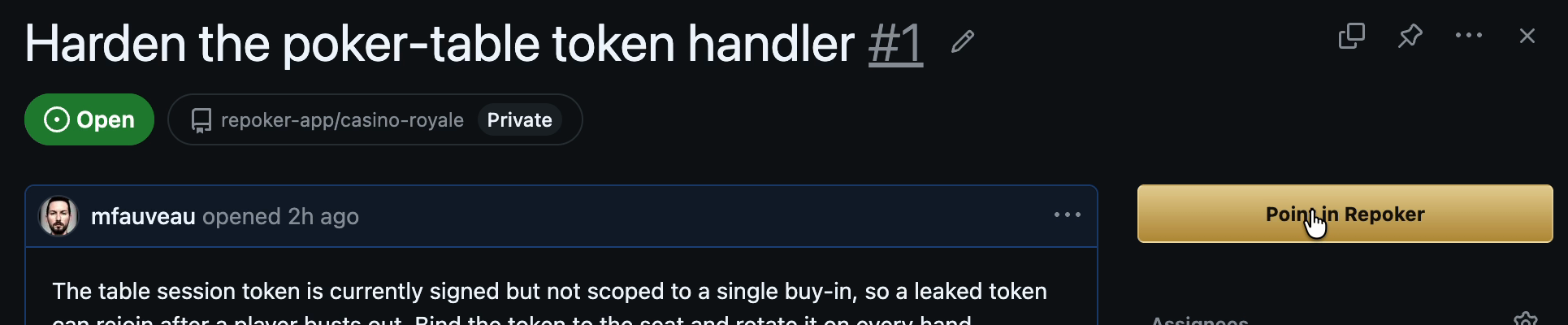
Open any issue on GitHub, or open one from your project board. A Point in Repoker button appears in the issue header.
Open the room
Click Point in Repoker. The Repoker panel opens in the corner and the issue becomes the current ticket for everyone in the room.
- If you have a room for this project, it opens straight away.
- If not, create one: name it, pick a deck, and choose the Project field estimates should write to (see Create an estimate field).
Vote
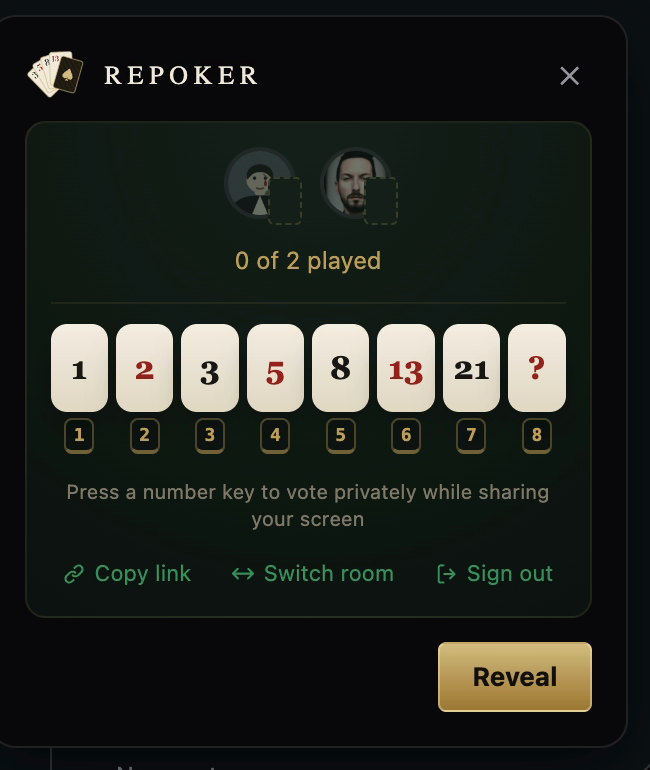
Everyone in the room picks a card. Votes stay face-down, so the loudest voice never sets the number. The panel shows how many people have played (for example, “1 of 2 played”), not the values. Press a number key to cast your vote without moving the cursor, handy when you’re screen-sharing.
Reveal and confirm
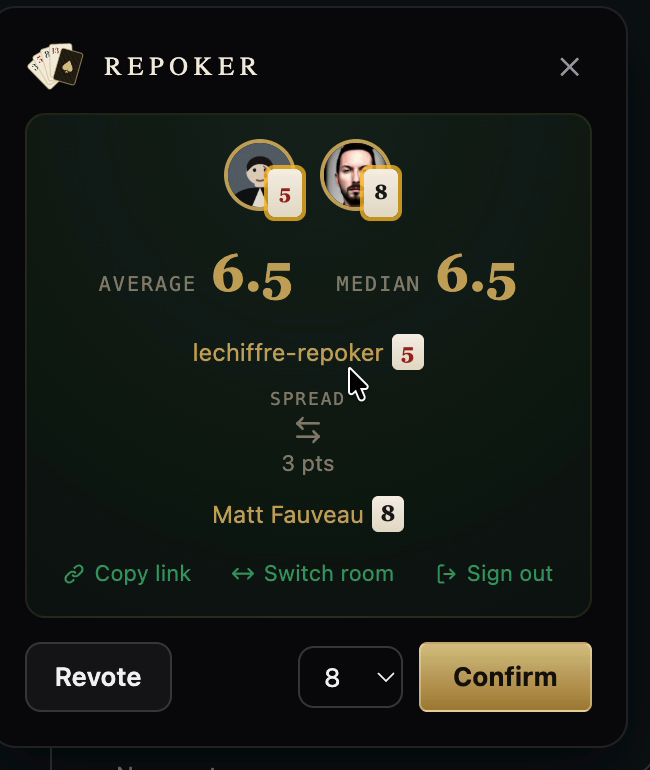
When the table is in, the facilitator clicks Reveal. The cards flip face-up and Repoker shows the average, median, and the spread between the highest and lowest votes. Talk it through, then:
- Click Revote to run another round, or
- Pick the agreed number and click Confirm.
Write-back
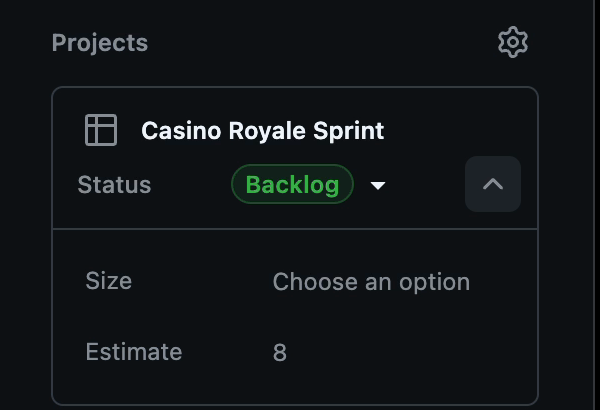
On confirm, Repoker writes the estimate to your chosen Project field. The panel shows “Writing to GitHub,” then confirms. The number appears on the issue and the board. Point another issue to keep going.
Repoker is an independent tool and is not affiliated with, endorsed by, or sponsored by GitHub, Inc. “GitHub” and the GitHub logo are trademarks of GitHub, Inc.