Guide 2 of 3
Add a story point field to your Project
Repoker writes each confirmed estimate to a field on your GitHub Project. If your board doesn’t have one yet, add it in a few clicks.
Open your Project in a table view
On GitHub, open your organization’s Project and switch to a Table view.
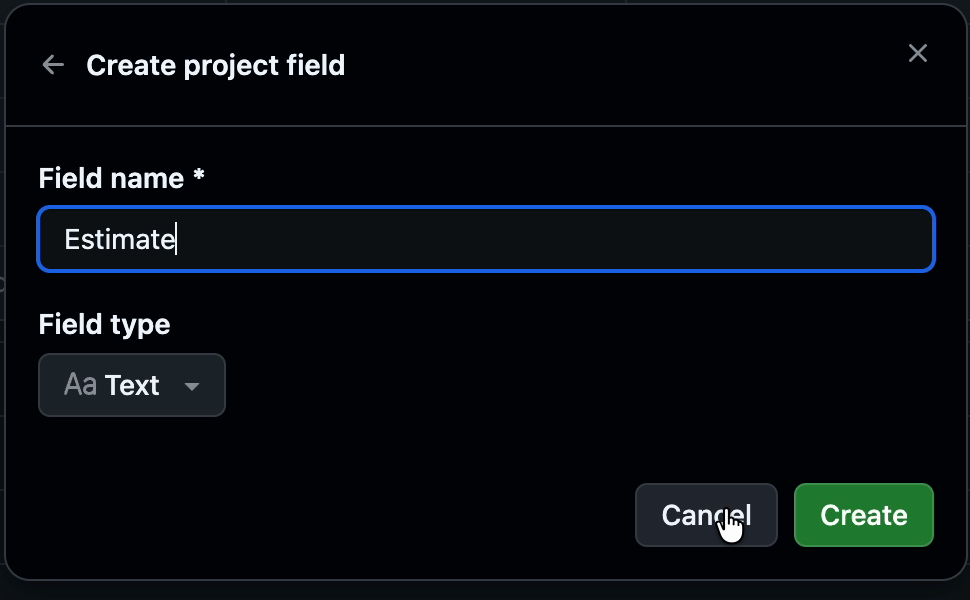
Create a project field
In the table header, open the field menu (the + at the right of the columns) and choose New field. Name it (for example, Estimate) and pick a type:
- Text stores any card, including symbols like
?or☕. - Number is best for all-numeric decks and stays sortable on the board.
Click Create.
The field is ready
The new field appears as a column on your Project. When you create a room in Repoker, pick it as the estimate field and every confirmed estimate lands here.

Repoker is an independent tool and is not affiliated with, endorsed by, or sponsored by GitHub, Inc. “GitHub” and the GitHub logo are trademarks of GitHub, Inc.